Showing posts with label ethereum. Show all posts

27 July 2021

Here Is The Security Problem With HiveOS' Diskless PXE Boot System

Here is the problem with the HiveOS diskless PXE boot system: 

If you have a HiveOS installation (this security flaw exists regardless of whether you are running the HiveOS' diskless PXE system/setup or whether you are using a disk of some sort for the HiveOS image), that is connected to the public internet (which is preferred so that your cryptocurrency shares that you are mining/farming will have the lowest latency back to the presumably, pool servers as much as possible), and that you have the SSH port open (port 22), then hackers and attackers can remotely take over your system, as laid out in Simon Bell's blog post Sneaky Malware Reconfigures Hive OS Wallet for Profit.
 
After you install HiveOS' diskless PXE system, if you look at what's inside /etc/shadow, you will notice that the salt and the key for user is the same, even if you update the image. (The more interesting question is whether the salt is the same across different users or not, but I am unable to personally test and verify this.)

This is important is because this is how the HiveOS diskless PXE is able to keep it so that the default password for the default user ("user") as "1".

(It uses the SHA-512 based password algorithm.)

The fact that the salt and the key is consistent through different HiveOS diskless PXE images, even if you update the image is one of the reasons why it is fundamentally and principally insecure.

(Ironically, if you do end up getting hit with this by hackers/attackers, one of the first things that you can do if you have a PXE installation is to power cycle your system/rig whereby you can take advantage of this fact that the HiveOS image that is served up by your PXE server will just reset and restore the default setup/configuration of your entire rig and since it will pull the flight sheet from your HiveOS account, you won't have a problem there.

In other words, there are pros and cons to using the HiveOS' diskless PXE setup/system because if you first notice that your crypto in your wallet or pool address isn't increasing as your system is mining and it is supposed to be, then you will be able to very quickly resolve and rectify this problem by just power cycling your rig given the fact that the HiveOS diskless PXE image lives in the local RAM of your rig, which means that turning your rig off -- any of the changes that the hacker/attacker has made will be gone/lost as far as the hacker/attacker is concerned since the image only lived in RAM and not on a non-volatile storage device like a HDD or SSD.

By the same token, the fact that the default password is the same for the default user ("user") also is a security flaw unto itself for HiveOS' diskless PXE system because this is what allows the hacker/attackers shell script to be able to run in the first place.

The HiveOS team, in their Telegram post, writes:


But as my testing and research has shown, you can't actually abide by their recommendation of using more secure passwords because any changes that you make to your machine/system/rig's HiveOS password will ONLY be temporarily changed until the next reboot or power cycle.

To test and prove this, you can either actually perform a reboot, or you can just extract any of the hiveramfs.tar.xz images (or any of the backup images in <<path_to_your_pxeserver_root>>/backup_fs) and then cat ./etc/shadow | grep user and you will see that in your current image and any of your backup images, the result is the same.

The other really big security flaw with this setup is also the fact that the HiveOS team DOES give you a command (hive-passwd) so that you can change the password locally on your system.

The problem with this command is that you have to pass in the new password as an input argument to that command, which means that the password will be typed in, in plain text.

This also means that by default, this system, which is based on the Ubuntu 18.04.5 LTS distribution, also uses bash as the default shell. As a virtue of the bash shell, if you type in the command: history, you will be able to read, in plain text, the password that the user has changed their system to.

HiveOS' diskless PXE setup does NOT clear your bash shell history with each login or with each log off.

And then, on top of all this, if a hacker/attacker is even mildly or remotely sophisticated, and your mining rig is directly connected to the public internet with port 22 open, it won't take them much to be able to find out whether you are running a diskless PXE setup or not. They can literally just read the config files, in plain text, to be able to determine and ascertain that. If you are running a PXE server, then you run the risk where they can start hacking into the rest of your network via your PXE server, or if they are only interested in hacking your mining rig and stealing your crypto, then all they would need to do is to run the hive-upgrade.sh script, and after your system is done updating, they would just need to unpack the PXE image into a temporary location that you aren't aware of on your PXE server, change the salt and the key for their new password and encode that into /etc/shadow, and then re-pack the hiveramfs.tar.xz file back up, and then pass the hacked version of hiveramfs.tar.xz as the "good" image (which as far as I can tell, HiveOS doesn't check), send the reboot signal to your rig so that it will pull the new, hacked image, and now you're hosed to the point where even a power cycle won't help you fix/restore your PXE image.

(And this also assumes that they haven't locked you out of the hive-upgrade.sh so that you can just run the update again, and undo those changes, which I can only imagine that a hacker/attacker that's slightly more sophisticated may probably be able to do that with what I can only assume, would amount to minimal effort (to lock you out of the hive-upgrade.sh command).

In fact, if they were smart, they would delete the hive-upgrade.sh command after they're done modifying your image, and also delete the pxe-setup.sh command as well so that you can't re-setup/re-download the image from the HiveOS server/repository which will undo said hacker/attacker's changes.)

And now your entire PXE setup is screwed until you rebuild the PXE server again, so that you can re-deploy the diskless PXE image again.

These are a bunch of inherent security flaws with the HiveOS' diskless PXE system.

I tried to warn the HiveOS team on the HiveOS forums, but thanks you @HaloGenius there, he decided to take it upon himself to just label this as fear, uncertainty, and doubt (FUD) when the statements that I have presented here are VERY easy to prove (because I've been able to prove them and I'm an idiot as far as computers and sysadmin is concerned). It doesn't take much.

In fact, I am such an idiot that I used the hive-passwd command to change the password to a more secure password and then I forgot what it was that I changed said password to, so I power-cycled my rig so that it would pull the HiveOS image from my PXE server again just to "reset" the password. (Because if you use the hive-passwd command and you mess it up, you don't really have a good way of recovering from that (or at least it's not an easy way to recover from that).) Whoopsies! (When I said that I'm an idiot when it comes to this stuff, I'm not kidding.)

So....what does this all mean? And what can you do?

The best thing that the HiveOS team can do at this point is to take a good, long, hard look at the security issues that I have presented here, building on top of the work that Simon Bell had presented almost three weeks ago (8 July 2021).

What I would LIKE the HiveOS team to do would be that when you run the pxe-setup.sh command for the first time, it will ask you what you want the default rig password to be (you WILL need to make sure that you don't screw this one up because if you toast it, then you will have to rerun the pxe-setup.sh command again to correct it). 

That way, it will download the original image with the default password for the default user, and then right away, you will get to change it and it will replace the line that's in /etc/shadow with the new password, at minimum, and preferably, with a new salt and password.

Right now, it will ask you what your farm hash is, what's the IP address of your PXE server, etc. The HiveOS team should be able to add another, new question, "what do you want the default password to be?" and then you can type it in (preferably echo off), and IF and/or anywhere where HiveOS might need to store that in plain text anywhere, that it will only do so temporarily and then it will clean up after itself so that it won't leave any reminents behind.

When I read Simon Bell's blog and I started thinking about what this means for a diskless PXE setup, I never realised how many failure modes there are that existed with the diskless PXE setup until I started really taking a look into this.

That's would be the minimum of what I would recommend the HiveOS team to take a look at, and implement those changes or something along those lines.

In the meantime, here is what you can do to protect yourself:

1) Secure your local area network. There are no shortage of videos on YouTube that you can look up and watch (or google it and read) where there are people who are dedicated to this topic, so follow their best practices.

2) Use a VPN. It won't really help secure what's inherently insecure, but at least it adds one more layer of protection. It will take your rig off the public internet, and therefore; will increase your latency times for shares, but I suppose that's better than getting hacked, right?

3) Close off port 22 on your router if you don't absolutely need SSH to remote into your network. I know that this isn't always possible, but if and where it is possible, you should probably close that off. (If you DO need port 22 to remain open, there are ways to do so in a more secure fashion as well. You can google and/or YouTube that as well.)

4) Change the password to a more secure password. Yes, I know that you have to pass in your new password in the hive-passwd command, but if you do it right after your system boots up (each time, preferably), then it will help safe guard your system. This is especially true if you've upgraded the HiveOS image on your PXE server.

Keep in mind that any password changes on your rigs are local and therefore; only temporary.

(I haven't checked to see if rig.conf stores the rig password in plain text, but I wouldn't put it past the HiveOS team to send the rig password, via rig.conf, in plain text as well. But I can't say for certain being that I don't use rig.conf files.)

5) After you have changed your rig's password, make sure you clear the bash history on your rig by running history -c. This is important because, again, since you have to pass in your new password, in plain text, as an input argument for the hive-passwd command, this will mean that the bash history will retain a record of it. Running history -c will clear said bash history.

I wished that the HiveOS diskless PXE system would do this automatically whenever you have ran the hive-passwd command by default, but right now, as it stands, it doesn't.

Stay safe.

Happy mining!
 
 
Credits and acknowledgements:

Credit goes to @HaloGenius from the HiveOS forums for deleting my thread and comments about these security issues/flaws with the HiveOS diskless PXE system/setup where instead of, or rather than addressing these security concerns, you took it upon yourself to delete the thread and comments under the guise of this being fear, uncertainty, and doubt (FUD).

As a direct result of your actions there, you inspired me to revive my blog that I haven't touched in years, and turn this blog into me blogging about engineering and IT stuff such as this so I want to acknowledge you, thank you, and give you credit for inspiring me to write this so that people will know what kind of security issues/flaws exists with the HiveOS diskless PXE system, which is sold as a "feature" on the HiveOS features page.
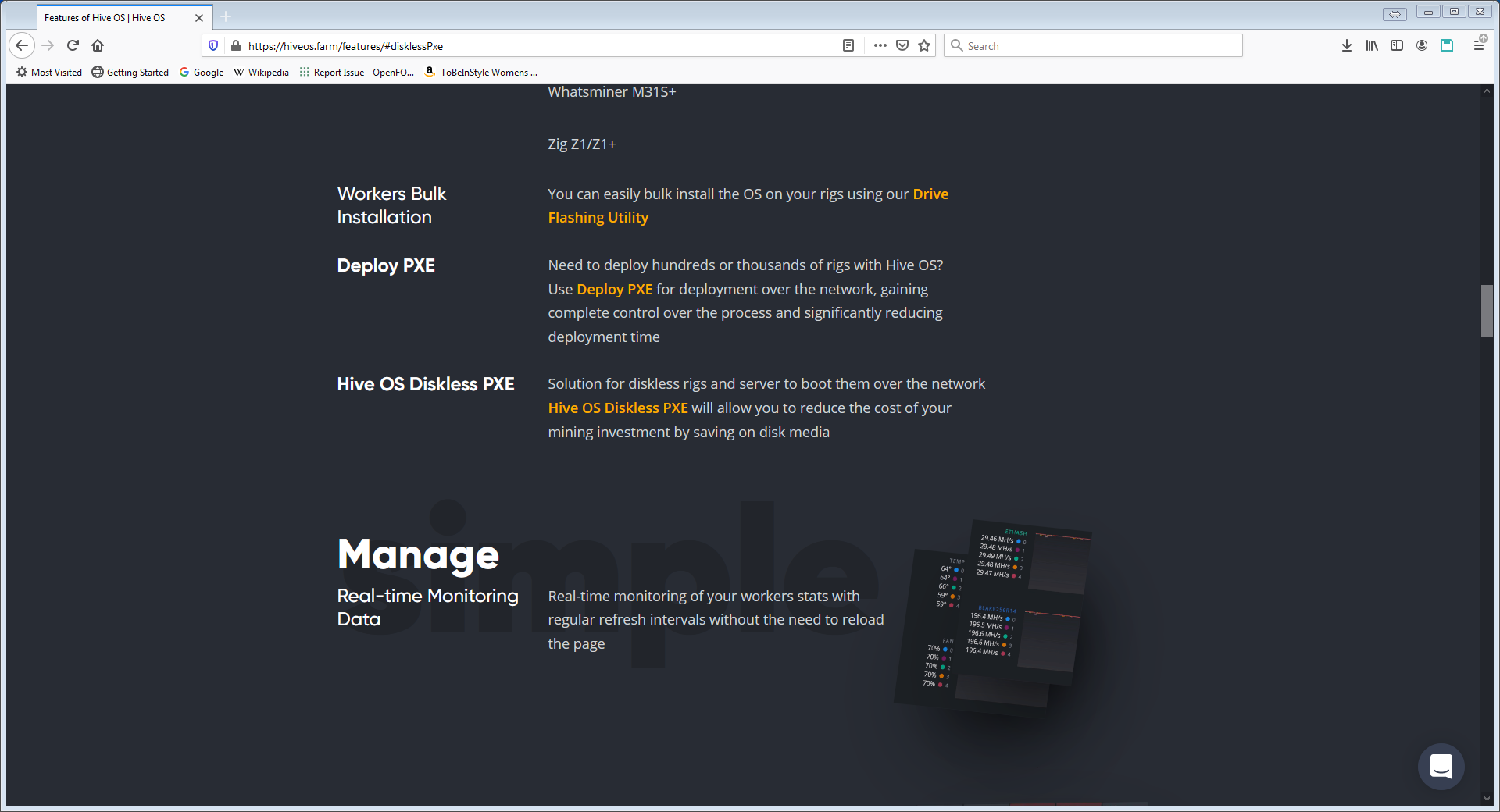
Apparently, security flaws with HiveOS diskless PXE system/setup is a "feature" of HiveOS.


14 July 2021

More Reasons Why HiveOS' Diskless PXE Boot Is Such A Massive, Critical Problem

Here are more reasons why the HiveOS diskless PXE boot is such a massive, critical problem:

Per the HiveOS team's own Telegram post:


They tell you:

"How to avoid this kind of attack:
- use secure passwords"

The problem with this, of course, is that if you are using HiveOS that was installed on a hard drive, SSD, or a USB flash drive (which, by the way, if you got hacked/hijacked like this, you couldn't simply just reboot to wipe out the stuff that the hacker/attacker has done), then sure, you can change the password to your heart's content when you first boot up and everything will be a little bit more secure from that point forward.

But if you are using HiveOS' diskless PXE, the hacker/attacker hacks/hijacks your system, you reboot it to reset everything, which sounds great in theory, until you realise that it also restores your system to the default password "1".

So much for having a more secure password.


In other words, if you ACTUALLY want to abide by the HiveOS team's recommendations of using a secure password, a reboot and/or a power cycle on your rig/worker/system will wipe out said secure password and restore it back to the default unsecure password. Once that happens, then a hacker/attacker can hack/hijack/attack your system again. Rinse. Repeat.
 
This flaw exists REGARDLESS of whether you have port 22 open on your modem/router.

Even if you secured your network, the fact this massive, critical flaw that still exists with the HiveOS diskless PXE system means that your network and your rig/worker/system(s) are still at risk.

In other words, you want to actually abide by the HiveOS team's recommendation. But literally a reboot and/or a power cycle on your rig later, and your diskless PXE rig/worker/system would be just as unsecure as it was before you tried to use a secure password, pursuant to said HiveOS team's recommendations on how to avoid this type of an attack.

And in talking to at least the HiveOS forum moderator(s) and administrator(s), they are CLEARLY in denial about this massive, critical security flaw.

Again, the two things that I can think of that would make this vastly more secure would be:

1) If you actually WANT to abide by the HiveOS team's recommendations of using a more secure password, said HiveOS team would have to modify the pxe-setup.sh so that it will ask you want you want the default rig password to be (so that it won't just automatically deploy "1" as the default password to all of your rigs), and then it will deploy all of your diskless PXE rigs with the default password that you specified (that isn't stored in some config file somewhere, in plaintext).

2) An even better option, in addition to pxe-setup.sh asking you what you want the default password to be, would be if it asked you if you wanted to disable password authentication for ssh completely in the first place.

That way, you would have to worry a lot less about:

"How to avoid this kind of attack:
- use secure passwords"
 
BOTH times that I've written about this in the HiveOS forums and BOTH times, the post and the comments were deleted in regards to this. IF the HiveOS Team ISN'T able to or aren't willing to put the time in to actually make their diskless PXE more secure GIVEN these GLARING, massive, and critical security flaws with it, then they shouldn't advertise said diskless PXE as a feature on their HiveOS features page. That way, said HiveOS team won't have to worry about this gaping security flaw anymore.

HiveOS Has A Massive, Critical Security Flaw With Their Diskless PXE Boot System

TL;DR:

Don't use HiveOS diskless PXE because there's a massive, critical security flaw with it.


The issue: 

 
For some inexplicable reason, the moderators and the forum administrators over at the HiveOS forum has decided to take it upon themselves to delete the topic (https://forum.hiveos.farm/t/massive-significant-substantial-pxe-security-risk/43187/1) that I had posted where I talk about the fact that the HiveOS diskless PXE boot system currently has a massive security flaw in it right now. (*edit/update 2021-07-14 18:08 UTC*: I've also written extensively about it in the HiveOS diskless PXE forum thread as well whereby the moderators and administrators of the HiveOS forums are also fully and completely in denial about this MASSIVE security flaw in the HiveOS diskless PXE deployment environment.)

As reported by RedPandaMining in his video, he talks about the current security flaw with HiveOS where if your system/worker/rig is open/exposed to the public internet and the port for ssh (port 22) is open as well, that hackers can then hack into your mining system, change the configuration, change the password and hijack your system to mine for said hacker. 
 
So, my thought was that if you run a diskless PXE setup/configuration/deployment, that shouldn't be a problem right? 
 
Well, yes, and no. 
 
(Note: For the purposes of this blog post, I am going to be focusing in on the security of the HiveOS diskless PXE deployment rather than the actual network security side of things. This isn't to say that one area is more important than any other. As such, you can google how to secure your home network as there are plenty of resources that talks about this. From my research, there is little, if anything, written about the security of HiveOS diskless PXE setup/deployment/system so this is the area that I am going to focus on specifically, in this blog post. In fact, there is so little that's written about this topic and that may have something to do with the fact that the HiveOS forum moderators and administrators will delete any thread or posts talking about this topic, which is why I am writing it on my own personal blog instead since it is quite obvious, this is an area that they don't want to talk about.)
 
See, the thing with a diskless PXE setup is that whilst yes, you will be able to "fix" the hack simply just by either issuing a reboot command to your mining rig/worker/system via HiveOS' online management interface, or, if you can't get to it because the hackers have hijacked your rig, you will have to be able to physically power cycle the system, then it will just go back to booting like it normally would off of your PXE server, and that would undo all of those changes that the hacker was able to implement.

But that's not the end of it.

The way the hacked worked, according to Simon Bell, it installs basically a loader script that will connect to the hacker/hijacker/attacker's web server address that will then reconfigure your system (mostly to lock you out and prevent itself from being removed) and then it will download the rest of the payload and supporting files that will then change your actual configuration files specific to mining/the miner itself.

So, with that, again, the thought process could be that if you have a diskless PXE system/deployment, all you would need to do is power cycle your rig/worker and that will restore everything back to its default and that would be the end of the hack/hijack.

But that's not the case.

The truth of the matter is that some of the recommendations that Simon Bell makes are to change your password, both through the HiveOS online management interface, and if that fails/doesn't work (as it happened to be in my case when I tried it), you can always ssh into your rig/worker/system and run the command:

hive-passwd

to change the password locally on the system and that way you can set a stronger, more secure password.

Another mitigating action that you can take is also to disable password authentication for ssh altogether and authenticate only using keys instead which would make it more secure.

And you can google the steps on how to do that or follow the link from Simon Bell's post in regards to the specific instructions on how to do that.

But here is the problem with both of those actions: the moment you power cycle and/or reboot your rig, and it goes through the diskless PXE boot process all over again, it will (re-)download the diskless PXE image (hiveramfs.tar.xz) from your PXE server and then start to unpack it and ALL of those changes that you've just made to secure your rig is now, once again, NOT secure again, as the defaults are restored.

I know because I accidentally tested this.

I tried to change the password for my rig/worker/system via the HiveOS online management interface and that didn't seem to work so that ssh into my rig/worker/system, and ran:

hive-passwd

and changed my password to something more secure. I log out, and when I tried to log back in, it had failed. Maybe my password was too secure to transmit over ssh? Who knows.

Either way, I couldn't log back into my own system again.
 
So, what do I do to "fix" this?
 
I power cycle the system and as I mentioned above, it resumed the normal PXE booting process, downloaded the hiveramfs.tar.xz file from my PXE server and proceeded to boot up the rig/worker/system like normal.

But when went to log back into the system, instead of it being the password that I had changed it to, it reverted back to the default password.

That's a HUGE problem.

The default password is built into the hiveramfs.tar.xz image that it creates when you run the pxe-setup.sh initially PXE configuration script as well as the hive-upgrade.sh script.

This means that by default, the diskless PXE boot image is NOT secure because if you change the password and/or if you disable password authentication for ssh, all you would have to do to undo those changes is just to simply reboot the rig/worker/system.

And if your rig/worker/system is still wide open to the public internet and port 22 for ssh is still open on your modem/router, then the attacker/hijacker can attack your rig/worker/system repeatedly even if you were using a diskless PXE setup/server/deployment.

What's worse - if the attacker was more sophisticated, they can actually hack and hijack your rig/worker/system to a point where it will try and see if you are using/running a diskless PXE system/server, find out the IP address of the PXE server, and then try and implement the changes in the hiveramfs.tar.xz file directly so that even if you tried to reboot your diskless PXE rig/worker/system to try and "restore to default", it would be downloading a hacked/hijacked boot image where the hack/hijack would then be built into the hiveramfs.tar.xz image and then this would mean that your HiveOS diskless PXE server is toast (along with your rig).

So....where do we go from here?

 
Well, for starters, the HiveOS development team should change/modify the pxe-setup.sh script  such that it asks you what you want the default rig/worker password to be rather than just cascading or setting up the default password for everything, and making/leaving it all to be the same (and that it doesn't change unless you either change it via the HiveOS online management interface and/or by ssh'ing into your system individually and changing them one at a time).

Secondly, I think that the HiveOS development team should also ask you whether you want to disable password authentication for ssh by default when run pxe-setup.sh script in order to make it more secure and therefore; you DEFINITELY won't have this default user/default password problem that hackers/attackers can take advantage of.

Again, at the per rig level, if you are running HiveOS on a disk of some sort, then these actions can go a long way to help mitigating this type of an attack. However, if you're running a diskless PXE setup, then these mitigations will be erased/cleared out/reset the moment you reboot the system because the inherent hiveramfs.tar.xz file will NOT have these changes implemented and for that to happen, the pxe-setup.sh deployment script will need to be modified by the HiveOS team so that these mitigations will be implemented by default, so that even if you reboot the system, it won't wipe out these security mitigations and worse, put your system back into a state where it can be attacked again.